
Your games.
Your couch.
Any screen.
CouchLink streams your cloud gaming library and remote plays your home console directly to Apple TV or iPhone — low-latency, controller-ready, zero extra hardware.
See CouchLink running live on tvOS.
A real captured session from the latest build, optimized for fast web playback.
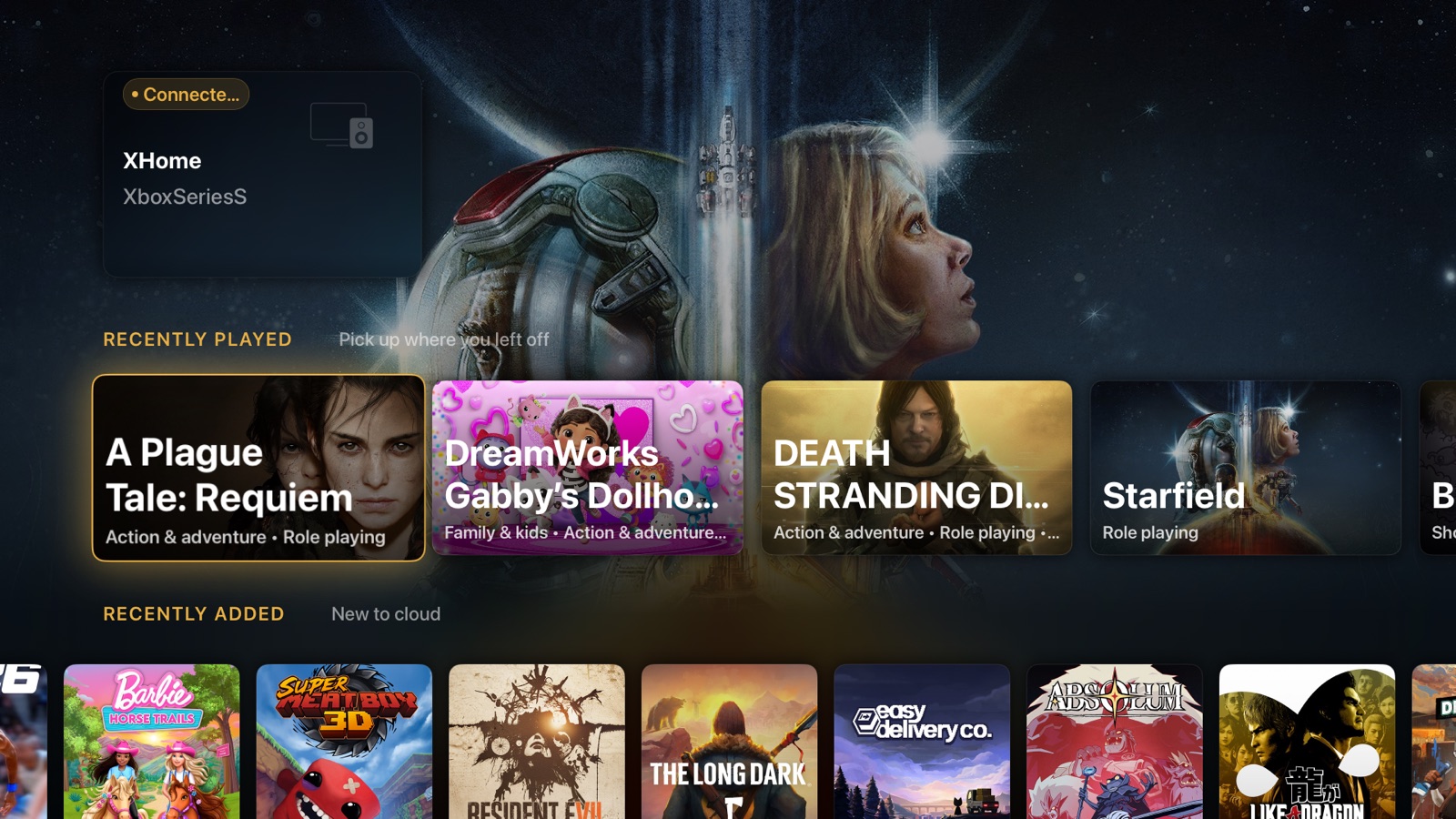
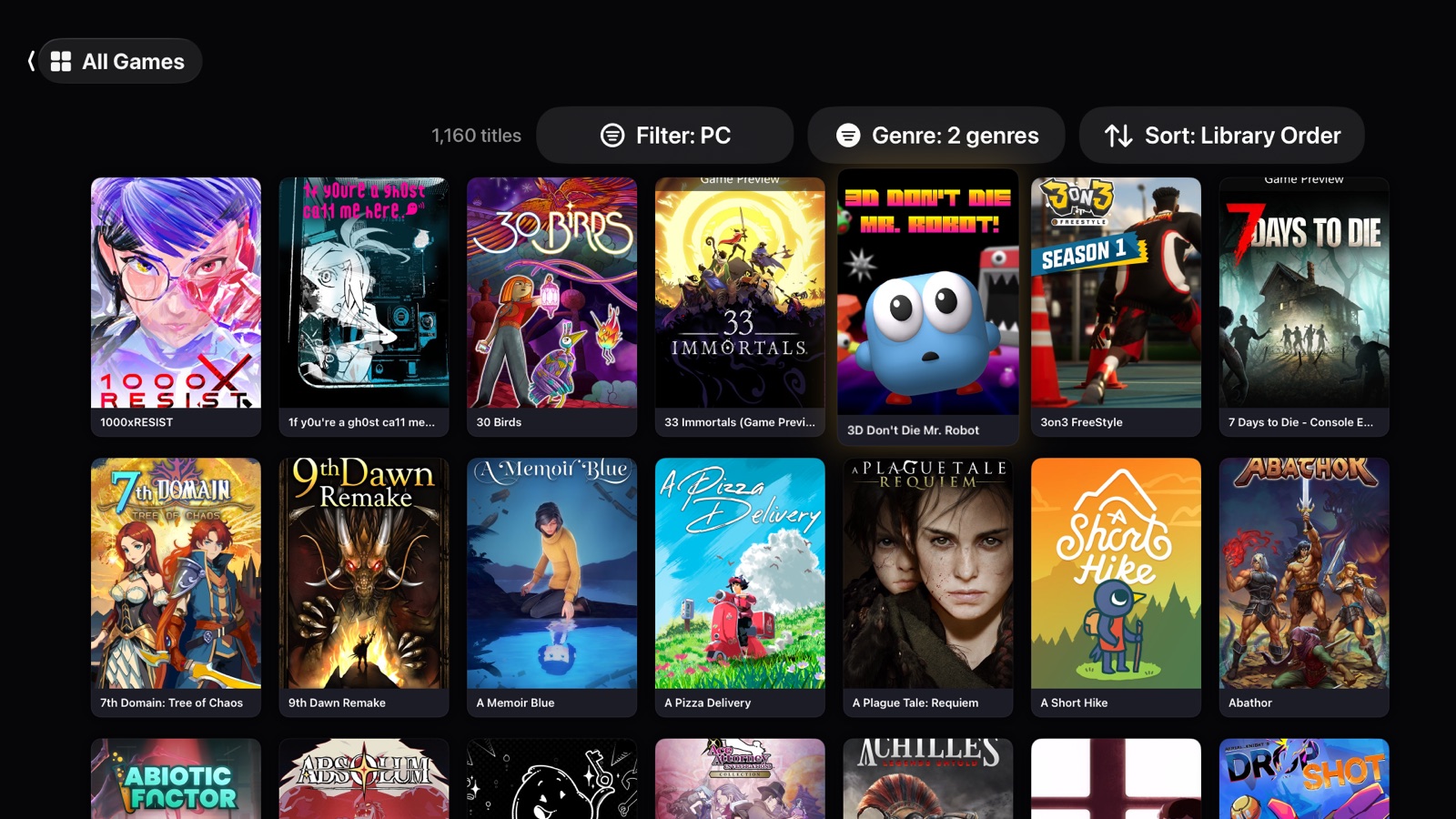
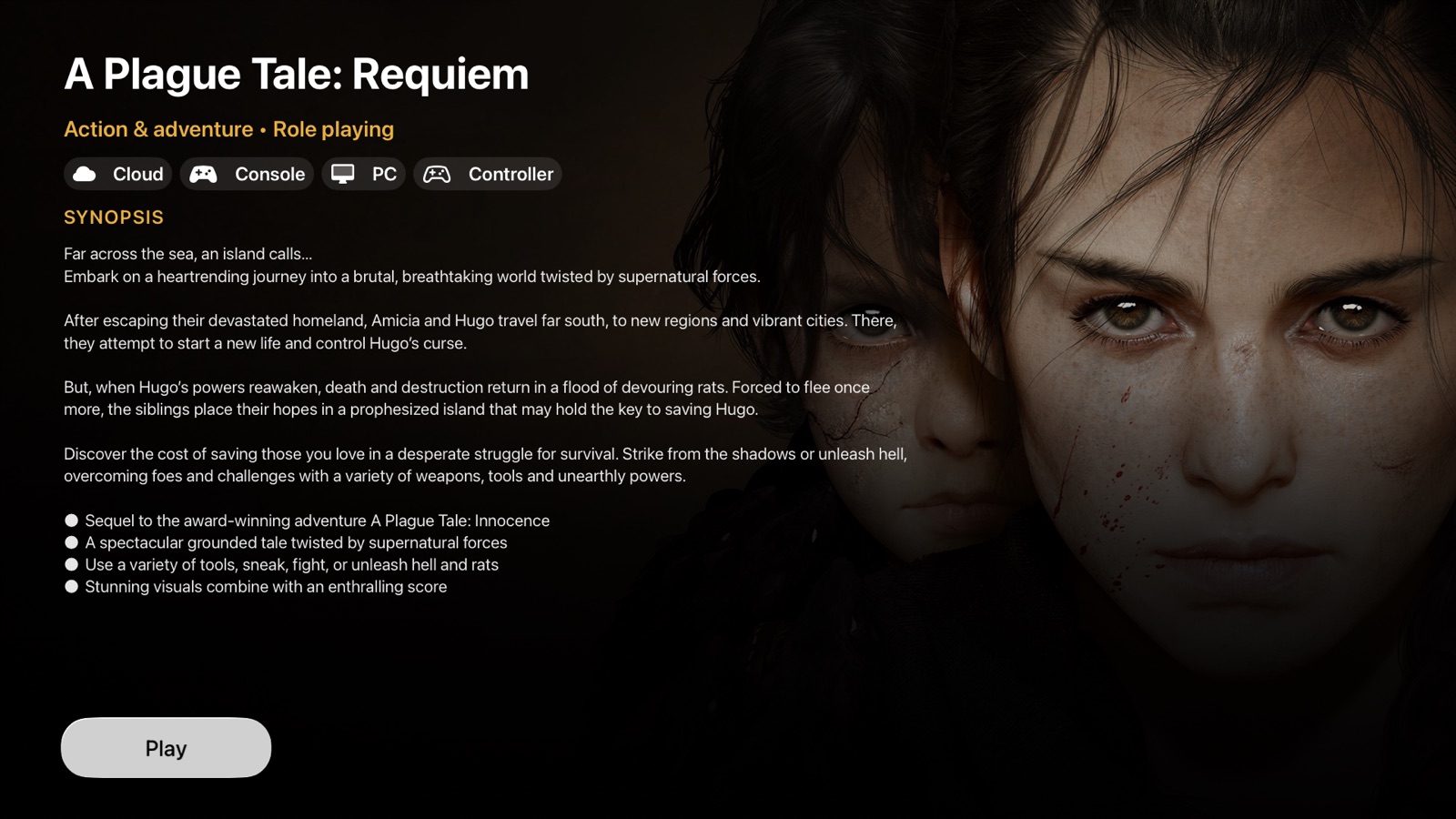
What CouchLink looks like on TV.
Real captures from the current tvOS build: Home, Catalog, and game details.
Built for the living room.
Controller-first design
Optimised for Xbox Wireless Controller and DualSense. Every button mapped, every trigger felt.
Ultra-low latency
Hardware-accelerated H.264/HEVC decode via VideoToolbox. Direct frame path — no extra buffering layers.
Home console remote play
Wake your home console and stream over local network or remotely — no extra hardware required.
Cloud gaming library
Browse and launch your entire cloud library from the couch. Cover art, titles, filters — the full catalogue.
Built for Apple TV
Native tvOS UI with Focus Engine navigation. Feels right on a 10-foot screen with your remote or controller.
Secure sign-in
QR code device-flow sign-in. No passwords typed on your TV. Token stored in the secure iOS Keychain.
Up and streaming in minutes.
Download CouchLink
Install on Apple TV 4K from the App Store, or join the TestFlight beta for early access.
Sign in with your account
Scan the QR code with your phone. No password typed on TV. Authentication is instant.
Pick a game and play
Browse your library, hit Play, and you're streaming. Grab your controller and enjoy.
Requirements
Apple TV
- Apple TV 4K (2nd gen or later)
- tvOS 17 or later
- Wi-Fi 5 or Ethernet recommended
iPhone
- iPhone running iOS 16 or later
- 5G or Wi-Fi 5 recommended
Cloud Gaming
- Active Game Pass Ultimate subscription
- 25 Mbps or faster internet
Remote Play
- Home console on same network
- Or internet-enabled remote access
Ready to play?
Download CouchLink and take your games to the living room.